


These days, it’s hard to imagine life without Wi-Fi. But sometimes the most unexpected things can interfere with its performance — even a simple lunch snack.
Professor Alex Hills — one of the pioneers of wireless internet — was among the first people to have to investigate the causes of Wi-Fi disruptions.
In 1993, whilst working at Carnegie Mellon University in the US, Hills led a team that created one of the first large-scale Wi-Fi networks.
He writes about this in his book *WiFi and the Bad Boys of Radio*. What’s more, he doesn’t refer to his fellow enthusiasts as ‘bad boys’, but rather to all the objects and phenomena that interfere with the smooth operation of a wireless network.
It’s quite possible that you have such ‘bad boys’ in your own home, which could spoil an evening spent watching a TV series, browsing memes or video-calling with friends.
Some of them are obvious — thick walls, for example. But others might really take you by surprise.
If you know exactly what’s interfering with the signal, you can significantly improve the quality of your connection. And to better understand how one of the most important technologies works — one without which it’s hard to imagine everyday life today.
The microwave
For 17 years, mysterious radio signals have been baffling Australian astronomers. Some believed they were caused by solar flares. Others even suggested they might be aliens.
The truth turned out to be far more mundane. The source of the signal was literally just behind the wall: every time staff in the neighbouring office heated up their lunch in the microwave, the radio telescope detected strange spikes.
It turns out that microwave ovens can interfere not only with scientific equipment. Sometimes they also affect home Wi-Fi.
Wi-Fi, like most wireless technologies, transmits data using radio waves. Specific radio frequencies are allocated to various services — aviation, television or emergency services. But there are frequencies that anyone can use.
One of the most common is 2.4 GHz. This frequency is used not only by many Wi-Fi routers and Bluetooth devices, but also by most microwave ovens.
Usually, this isn’t a problem. Modern microwaves are well insulated, so almost no radiation escapes. But if the microwave is old, damaged, or if you open the door before the cycle has finished, the radiation can interfere with Wi-Fi.
‘This is one of the most common reasons people cite for this,’ says Hills.
Some other appliances, such as fluorescent lights or even a car’s engine, can have a similar effect.
However, such problems are much less common these days.
Modern microwave ovens have improved significantly. Furthermore, Wi-Fi can operate not only at 2.4 GHz but also at 5 GHz,” explains Hills.
But if you have an old router or an old microwave, don’t be surprised if your internet suddenly starts to slow down whilst you’re heating up your dinner.
Aquarium
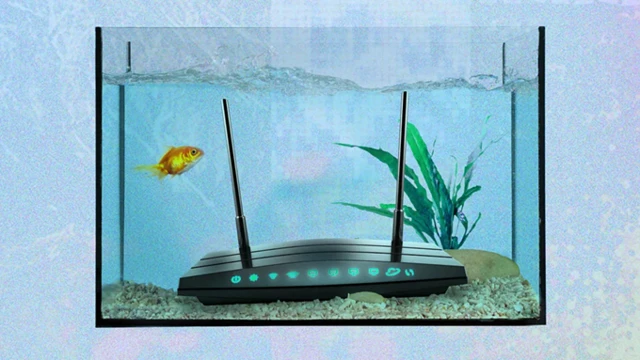
If you have an aquarium at home, this can also affect your Wi-Fi quality.
‘Radio signals naturally weaken with distance,’ explains Alex Hills. ‘But sometimes they pass through an object that weakens them even further.’ We call this ‘shading’.
One of Wi-Fi’s biggest enemies is water. It absorbs some of the radio waves’ energy.
So, if there’s a large fish tank between the router and your laptop, a so-called ‘dead zone’ may form behind it, where the signal will be very weak or disappear altogether.
However, the problem isn’t limited to aquariums.
Radio waves pass through wood or plasterboard quite easily. But thick brick or concrete walls are much harder to penetrate.
‘Imagine a straight line between the router and the device connected to the Wi-Fi,’ advises Hills.
Of course, radio waves can bounce off walls and find another route. But the more obstacles there are between the router and your device, the weaker the signal will be. Conversely, the closer you are to the router, the better the connection will be.
That’s why experts recommend placing the router as close as possible to the centre of your flat or house and positioning it higher up.
If that isn’t enough, you can install a Wi-Fi extender or switch to a mesh network. This consists of several small devices which, together, provide a stable signal throughout the house.
And then you won’t have to disturb the fish.
Mirrors
Microwave ovens can interfere with Wi-Fi, and water can weaken the signal. But there is another common ‘culprit’ — the reflection of radio waves.
Radio waves behave much like light. And, just like light, a Wi-Fi signal can bounce off mirrors and change direction.
This effect is caused by any large, smooth surfaces that reflect waves, such as televisions. The same thing can happen if metal sheets are used in the construction of walls.
If there’s a spot in your home where the internet connection is consistently poor, try to visualise a straight line between yourself and the router. There may be a mirror or a large TV along the way, reflecting the signal off course.
Sometimes it’s enough simply to move the furniture around a bit or change the router’s location. If that doesn’t help, or if you don’t want to rearrange the furniture, you can use a Wi-Fi booster.
Winter
Regular rain doesn’t usually affect your home Wi-Fi. The exception is when using a wireless connection between two buildings.
Severe weather can indeed leave you without an internet connection.
Heavy snowfall or severe frost can sometimes damage network equipment or cables. And if your internet connection is via satellite, the problem may be caused by snow sticking to the antenna.
Heat can also sometimes cause disruptions.
And sometimes the weather isn’t to blame at all. For example, when everyone is at home at the same time, watching YouTube, TV programmes or playing online games, the load on the network increases — and the internet starts to run more slowly.
So, in a world where extreme weather is becoming increasingly common, internet disruptions could become yet another consequence of climate change.
What can be done
As well as tackling climate change, there is another solution: telecoms companies and local authorities need to better prepare internet networks for extreme weather conditions.
Alex Hills himself now lives in Alaska. He has devoted much of his career to bringing the internet to remote villages and small communities.
The advent of satellite internet has made this task much easier. But it is not without its problems.
During a blizzard, a satellite dish can simply be buried under the snow.
And when that happens, all you can do is grab a spade.